
How do you tell someone about your work, when you can't tell anyone about your work?
Completely new to User Experience Design? Start with a quick read of the UX Design wikipedia article; that’ll give you an idea of what we’re all about.
Understand the problem
- What do we want to achieve?
- Why has this come about?
- Who will it impact?
- What are the constraints? E.g. time, resources, platforms, tools
- Is there another service or tool that behaves similarly?
Review any existing research
- Has there been any research so far?
- Why was it commissioned?
- Who was involved?
- What were the outputs?
- What do we know we don’t know?
- Stakeholders, including – but not limited to – the person commissioning the project
- UX designers
- User researchers
- Business analysts (if applicable)
For all stages, it is desired that as much of the project team is involved as possible
- A bullet-point list of project goals, if this doesn’t already exist
- A summary of what’s known so far
- The beginnings of some personas, if the prior research already covered this
- A project!
Examples have been purposely reduced in quality and censored in places, because they come from real projects.
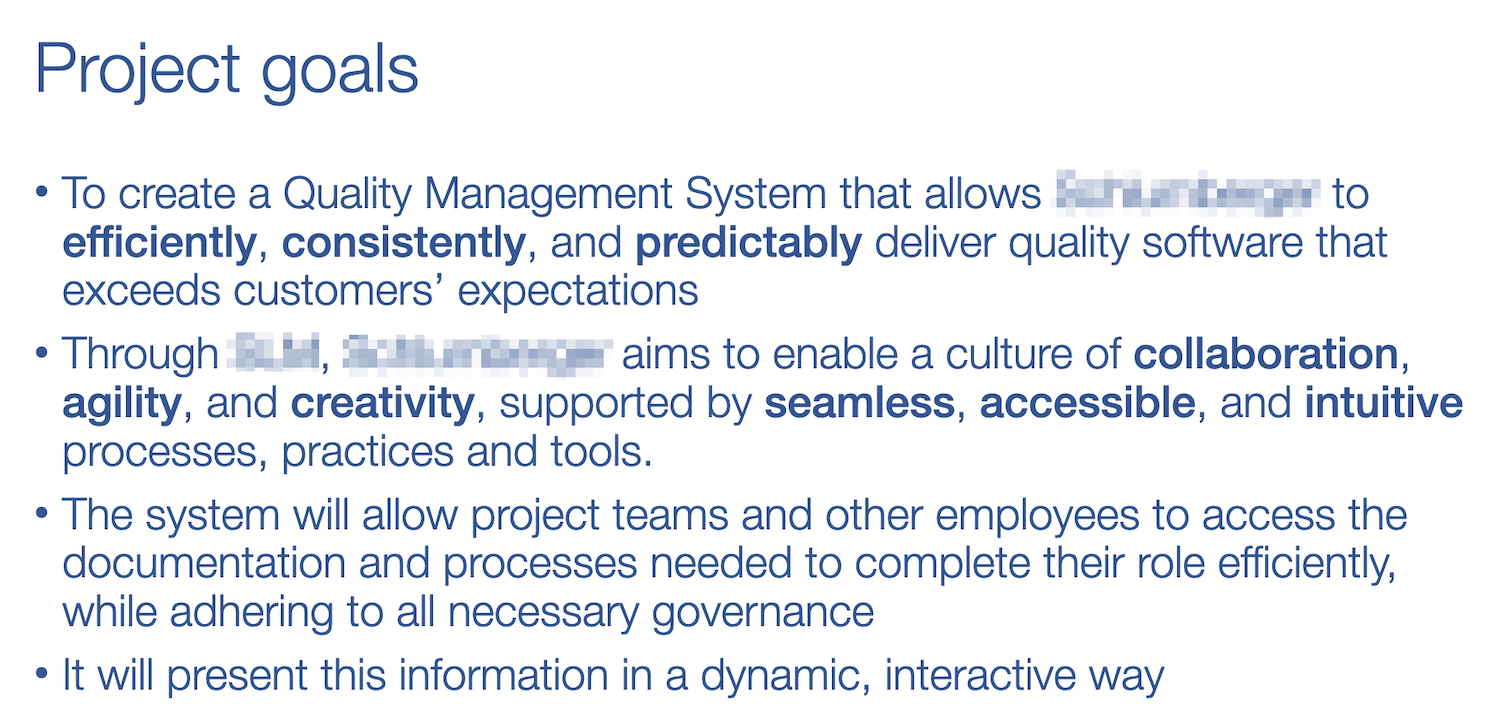
Project goals
An example of project goals agreed with a client at the start of a project. We then went onto agree UX goals and principles that I’d work to (see next section).
Personas
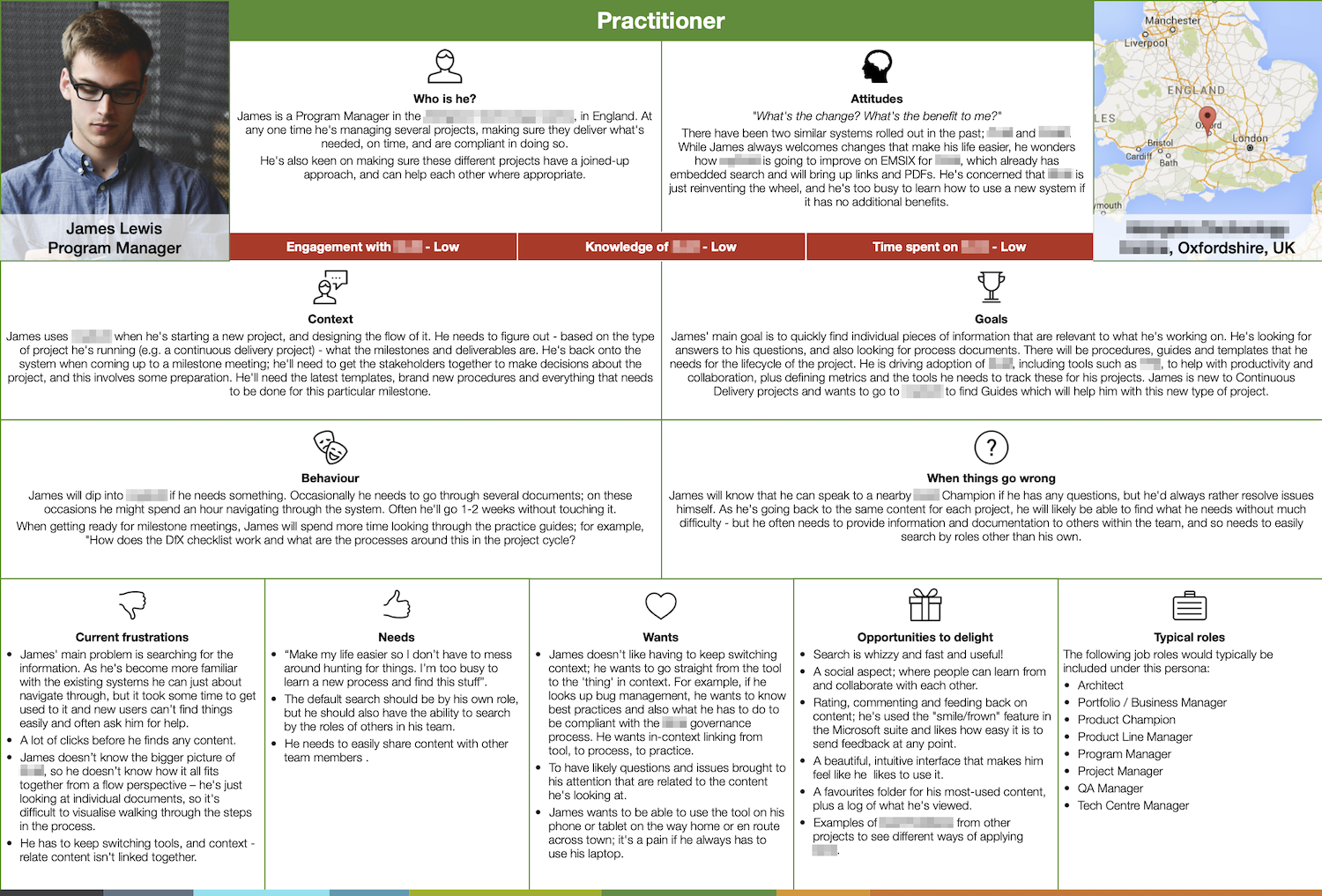
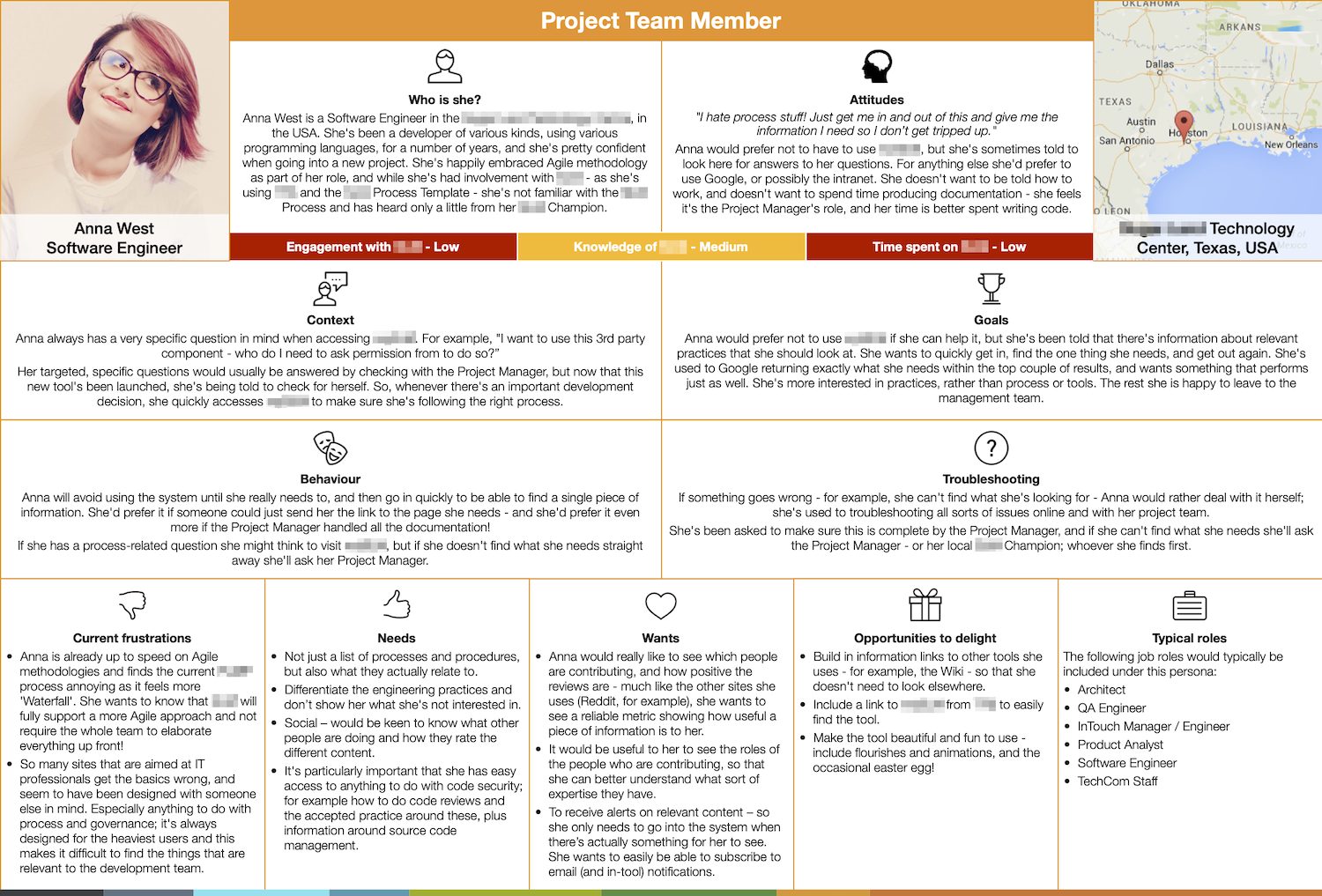
Personas can be created as soon as we know a bit about the users – so if, for example, the product or service is for internal use, a lot of the information’s already available. Of course this means making a lot of assumptions, but that’s fine as long as the personas are tested and iterated.

It’s important to treat clients well; why not meet in an artisan coffee house and order them a glass of tap water?
Agree the project principles
Agree the project principles
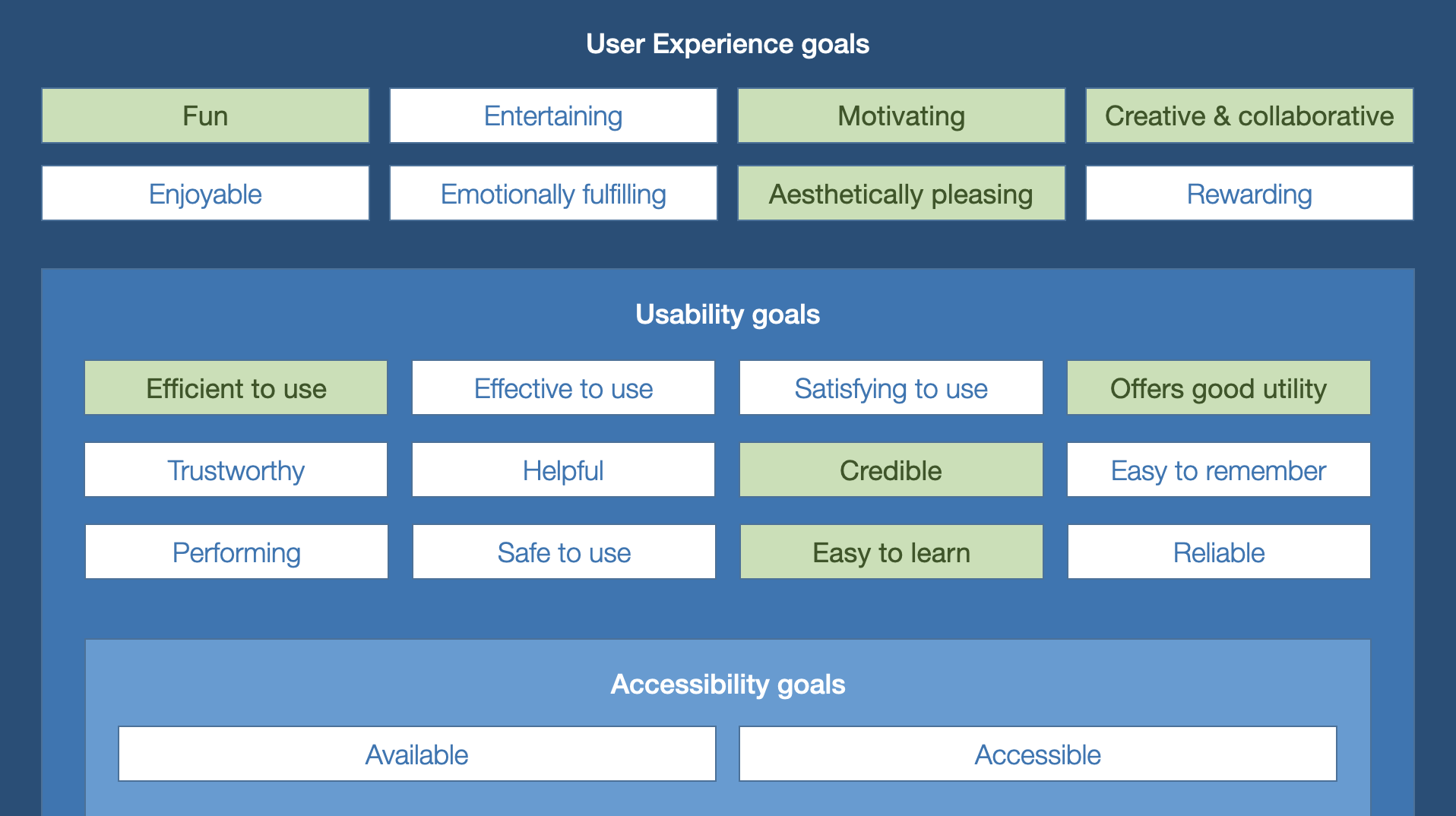
- Understand accessibility goals – does the product or service need to meet a specific level of accessibility guidelines, e.g. AA or AAA?
- Identify usability goals – what’s most important, given the context and user base? Is it more important that it’s efficient, or safe? Is it more important to be credible or helpful? While of course we’d like products and services to do all these things, it’s important to focus on what’s top priority.
- Agree user experience goals – it’s great that the product or service will be reliable, but how can we cater to the emotional needs of users? Should the service be fun, or is it more important that it’s sleek, on brand and aesthetically pleasing? Users having fun with a product or service is great – but not always appropriate given the context.
- Waterfall, Agile, or…? – not every organisation wants Agile, for all sorts of reasons. Agree from the start whether this is an Agile or Waterfall approach, and provide the appropriate level of documentation – remembering that even if it is Agile, anyone could leave the project at any point.
Create a UX strategy
- Understand and articulate the challenges that have led to the project.
- Describe the aspirations for the finished product or service.
- List the deliverables to be created, with the understanding that these may change as the project develops.
- Agree guiding principles, e.g. user-centred design, drawing on industry norms, mobile-first, etc.
- Agree measures to be used in ongoing research, e.g. main tasks to test, and task success rates.
Map out a calendar plan
- Using agreed deliverables and taking resource into account, create a plan of when activities will take place, and when deliverables will be shared – taking into account the need for reviews and editing.
- Ensure compliance (e.g. legal review) is addressed.
- Stakeholders, including – but not limited to – the person commissioning the project
- Product owner
- Project manager
- UX designers
- User researchers
- UI designers
For all stages, it is desired that as much of the project team is involved as possible
- A signed-off UX strategy and principles deck
- A list of expected deliverables
- A rough calendar plan for involved parties (which has been communicated to them!)
Examples have been purposely reduced in quality and censored in places, because they come from real projects.
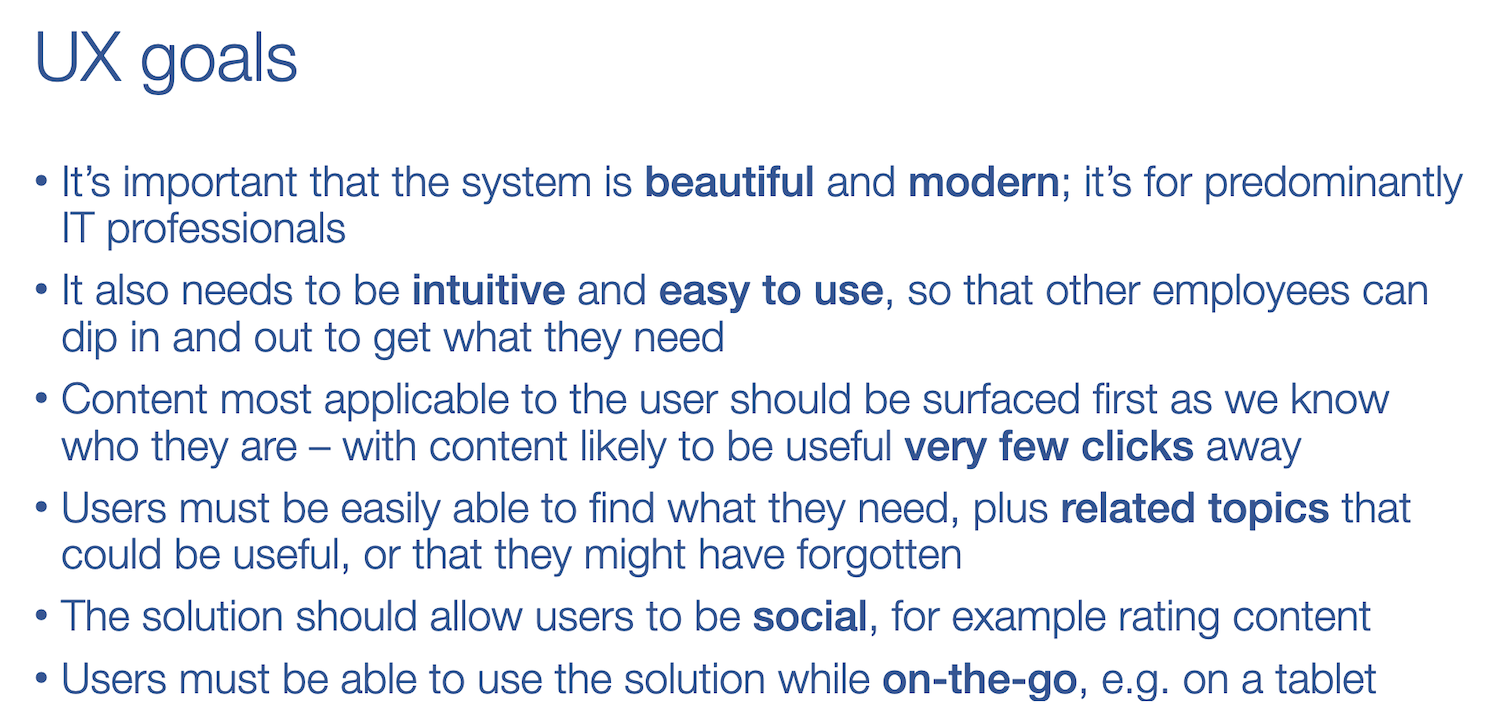
UX, usability and accessibility goals
Here are a couple of slides from a UX strategy deck I created for a client; you can what we’ve agreed on as the driving UX and usability principles for the project.
UX plan
Here’s an example of a short project I worked on with one client.


Plan what you’re going to do, and when… but for goodness sake write it in pencil!
Really understand the problem
Heuristic evaluation
- This can be really useful, and doesn’t require huge costs or resources.
- Nielsen’s heuristic principles provide an excellent basis – information can be found on the Nielsen Norman Group website.
- Completing a heuristic evaluation prior to any user research means the ‘obvious’ issues can be addressed without eating up precious user time, meaning research relates more to how end users will use the product or service, and problems they may encounter.
Current journey mapping
- Whether creating a new product or service, or redesigning an old one – there’s almost always an existing journey that the user completes to achieve their goal.
- Mapping this journey generally uncovers steps and touchpoints previously unknown to, or considered unimportant by, the project team.
- While an initial journey can be created from the team’s understanding of the process, this should always be validated with user research, as users will invent processes and workarounds to make life easier.
- A great by-product of completing this with users is to identify current pain points.
User research
- If there’s anything to test, test it! There’s no point trying to fix something if you don’t understand the problem.
- Test the product with the agreed user base, and prioritise the main users.
- Apply the measures agreed during planning; these will give a baseline score for the team to improve upon.
- Depending on time, budget and resource, this can 2-minute guerrilla testing on the street, or full-blown usability testing in a snazzy lab with eye-tracking – whatever is appropriate. Some useful research methods include group sessions, surveys, A/B testing and analytics on existing products and services, interviews, diary studies, and ethnographic research.
- Everyone
- Everyone
- No, really, everyone
Of course the UX designer (or dedicated user researcher, if you have one) is going to lead the research and prepare the materials, but every single person on the team should be involved in viewing the sessions, getting involved where possible, and evaluating the outcomes. A great exercise is, after every single session, to get all the observers to agree the top 3 “things to fix”, based on what that user had said and done. Themes will very quickly emerge.
- Heuristic write-up
- Journey map – or preferably, an experience map with pain points
- Main research conclusions, with photos or videos
- A detailed research report
Examples have been purposely reduced in quality and censored in places, because they come from real projects.
Here’s a blog post I wrote while working with Land Registry, about research with external stakeholders, and how I mapped the conveyancing user journey:
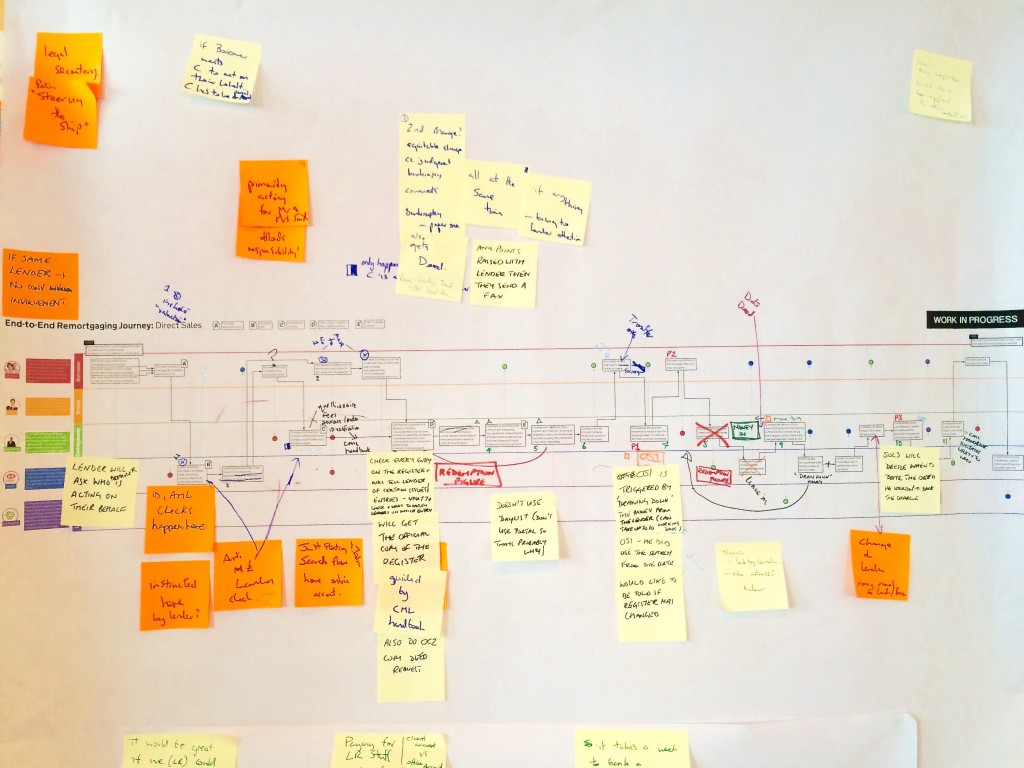
Included in this post, I show a few deliverables I created for them. Here’s the user journey, mid-research. You can see it’s totally covered in scribbles – and this is just from one research session!

When testing on any device, an important step is to turn it on.
Figure out what to design
If you’ve done all the other stuff, this should be fairly straightforward! Many projects will have a requirements list or spreadsheet which will feed into this – but it’s important to know if requirements have been created based on user research or not. There can be a mismatch between user needs and business requirements; and it’s key to find a balance that works for everyone.
Personas
- We’ve already created personas, but like other documentation these should never be considered “finished”.
- Go back over the personas, and compare them with the research. If anything doesn’t add up, change them! We may find we need to create a new persona – but more than 8 should be avoided.
Task model
- Now the current journey is understood, and we’ve figured out our goal, I find a task model can be incredibly useful.
- I don’t mean this in a “what exactly will it do” way – think more along the lines of: “what are all the things that this product or service could possibly do, ever”. For now, don’t worry much about “how”.
- Some of these tasks will have already been validated by users, or the business. Others will be ideas from the team, or just filling in gaps.
- When this is prepared, it can be validated with the users and the business. Just like personas, this is never “finished”. Later, this same document can annotated to show what’s in each release. I think FreeMind and Coggle are great tools for this – or it can be done in Omnigraffle, or Google Drawings, etc.
Information models
- Now that we understand our users’ mental models, we can map out different pieces of information, start thinking about taxonomies and how all these relate to each other.
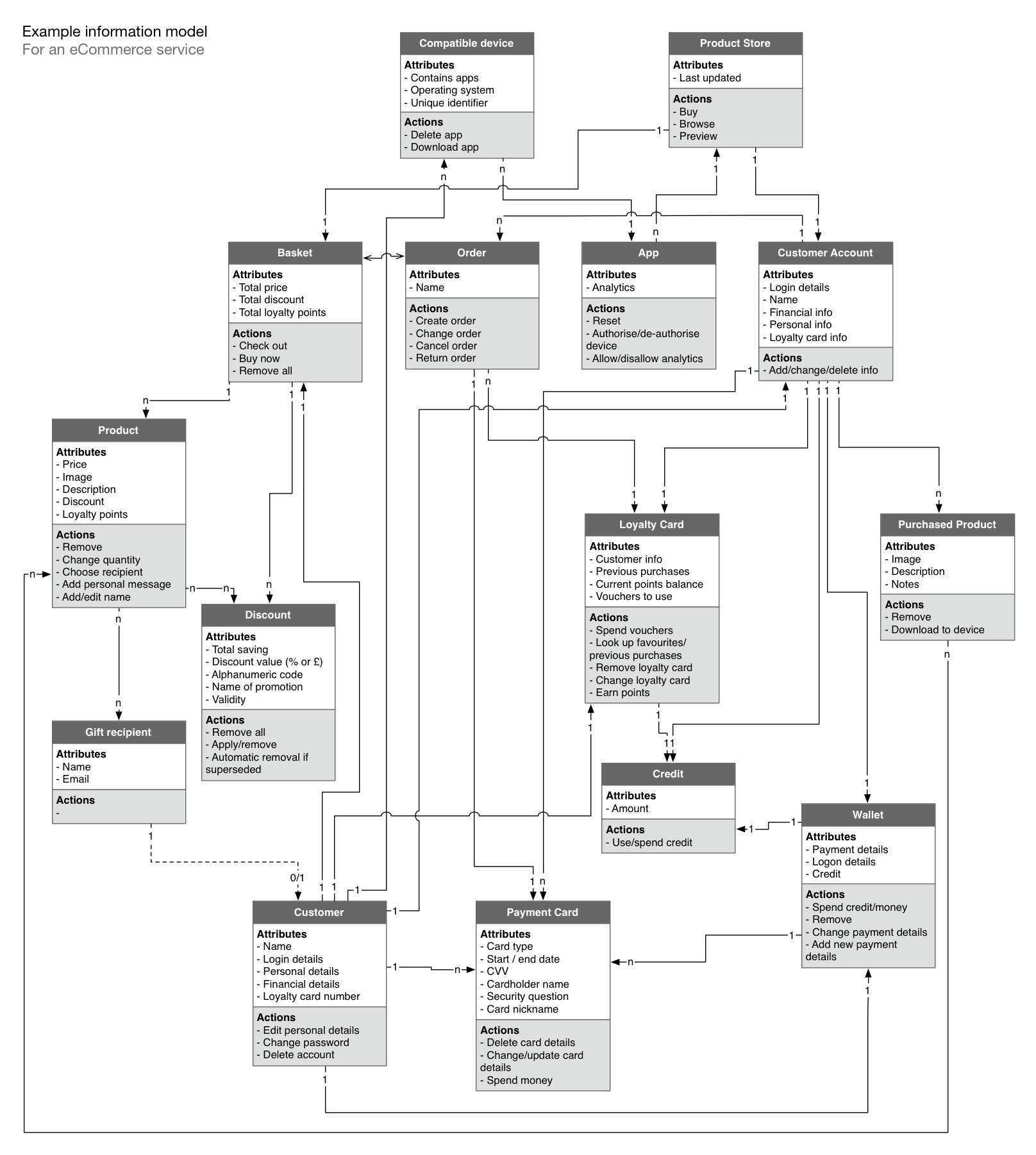
- Information models list out the different entities involved in a product or service (think anything that can be described as a noun, like a “basket” or “product”), what information is associated with each of them, what actions can be taken on them, and how they are related to one another – check out the examples tab for an eCommerce example.
- Like task models, these should be edited, iterated and scribbled on whenever possible.
State models
- Especially useful for complex products or services where your different ‘entities’ (the things you used in your information model) move through a number of different states. This diagram helps you to understand the different states they can move through – and what causes the change.
- This diagram can be used as a checklist to ensure all states are designed for, and can also help to facilitate discussion within the project team about what needs to be built, and how.
User flows
- Finally, based on the tasks we’ve identified that the user wants to complete, and using personas to select the primary user journeys, we can define main user flows.
- These will be used for testing and can help in focus design and prototyping effort to the most important parts of a product or service.
- UX designers
- User researchers
- Product owners and project managers, for validation of scope
- Developers, for validation of ideas
- Stakeholders should be involved when reviewing the outputs from this stage
For all stages, it is desired that as much of the project team is involved as possible
- Updated personas
- Task model
- Information model
- State models
- User flows
Examples have been purposely reduced in quality and censored in places, because they come from real projects.
Task model
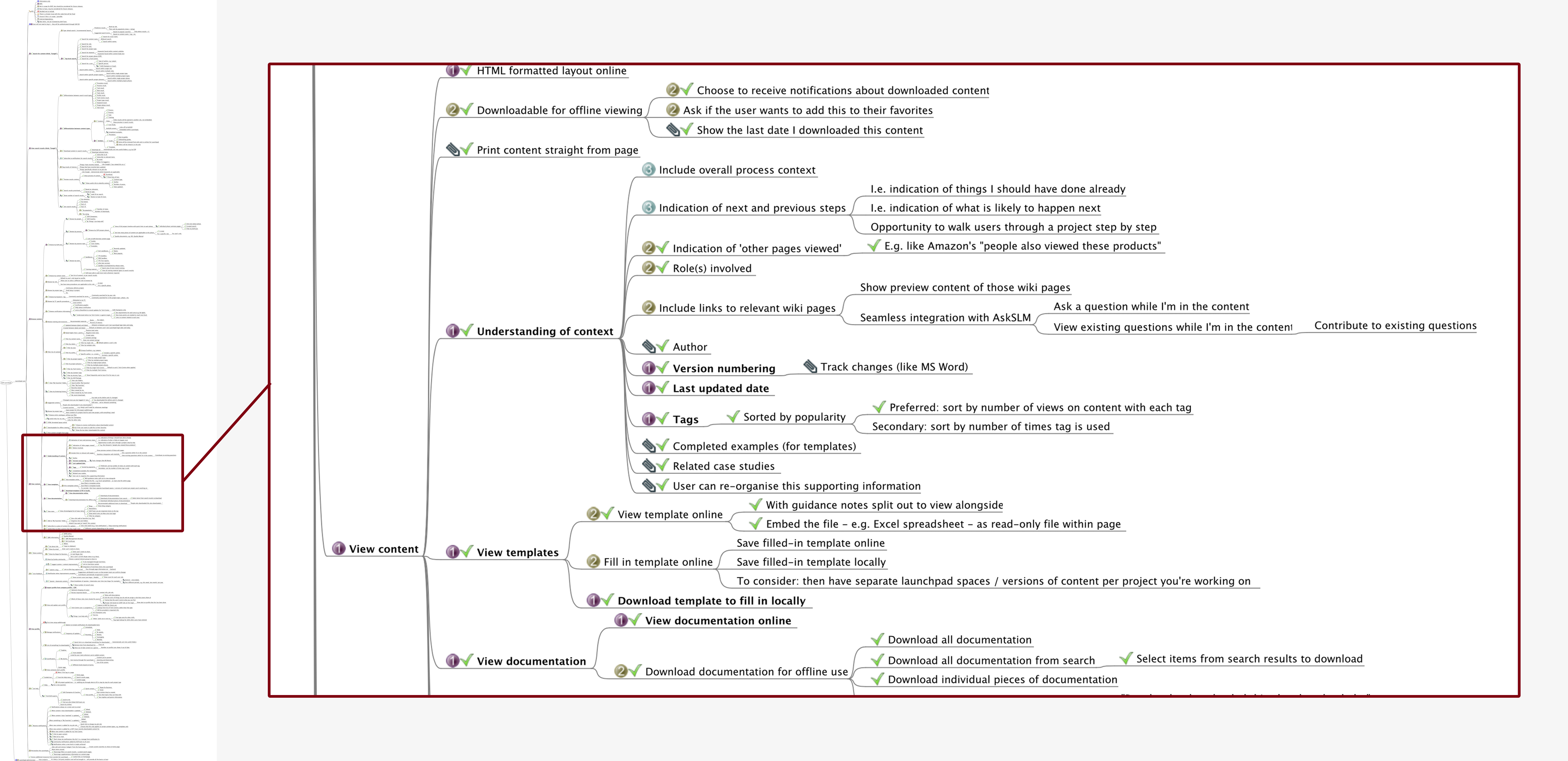
Once you have an idea of the different features and processes your product or service needs to include — whether website, software or app — it can be useful to create a task model. This can be done within the design team, or as a collaborative exercise with the wider project team. Here’s an anonymised example; you can see how huge it is(!) so I’ve zoomed in on one section.
Information model
These are useful for designers to know what to display, and for developers to create relationships in the system. This is a great example of something that can be created in collaboration with the dev team.
State model
In this example, it maps the different states that a ‘basket’ on an eCommerce site could move through. As you can see, this not only helps to facilitate conversations with the developers on your team, but can help you to understand the different states and error messages you’ll need to design.


Never take a designer seriously unless they have three or more highlighter colours.
Create initial designs
Whiteboard sketches
- I love whiteboards. I love them so much that I bought one for my flat. What I love about whiteboards is that you can scribble something, and if you get it wrong, it’s gone in half a second. Almost everything I create in any wireframe or prototype has previously existed on my whiteboard. Because sometimes, it just takes drawing something to figure out what you need to do.
Paper prototypes
- I’m not a big fan of paper prototypes in the traditional “draw with a pencil” sense. The reason is because while they work like whiteboard sketching, they take much, much longer. To drag, drop and resize a box in Axure takes me a few seconds. To draw the right sized box on paper takes double. And then if it needs to be a bit bigger, or smaller..? However – I do like to print digital wireframes and ask users to scribble on them. People love to get stuck in, and you can get a lot from users if you ask them to draw circles around things they think are good or bad.
Low-fidelity wireframes
- Great for simpler products and services that don’t have a lot of states. I particularly like being able to see all the screens laid out side by side, to see the journey and number of steps at a glance. This sometimes isn’t practical if elements have a lot of states or are very complex, as there’s so many versions of the same screen that you don’t know where to look.
High-fidelity wireframes
- Generally avoided unless producing concept work or comms. Why? Because people get hung up on the colours, or the shadows, or parts of the style that – at this point – aren’t the focus.
Wireframe prototypes
- Most projects I work on ask for a prototype. They’re great because, especially if you use something like Axure or InVision, you can build up interactivity while wireframing, and also export the wireframe specification detail for developers. I prefer to keep these low-fidelity to avoid the wrong discussions; though it’s easy to substitute grey boxes for visual designs if needed. An important note when using these is to avoid creating absolutely every tiny detail of the product or service. It’s not a good use of time.
HTML prototypes
- I can do a bit of HTML (I built a website from scratch once, because I’d done an HTML5 course on Lynda.com and wanted to put my powers to the test), but I’m no HTML prototyper. Some organisations – like GDS, for example – have dedicated front-end designers who’ll work with the research teams to create these. It’s nice that they feel more like using a ‘real thing’ when you test, but with that comes dangers; some users may not want to give lots of feedback if something looks ‘finished’, and HTML prototyping can take longer.
- UX designers
- User researchers
- Developers, for validation of ideas
- Stakeholders should be involved when reviewing the outputs from this stage
For all stages, it is desired that as much of the project team is involved as possible
- Wireframes and/or a prototype
Examples have been purposely reduced in quality and censored in places, because they come from real projects.
Coming soon!

Are you a real designer if you’re only using one computer at a time? Yes. But we like to use as many as possible just to show off.
Test, fix, rinse and repeat
Guerrilla testing
- I love this. It’s an easy way to validate things quickly. We take what we’ve got – on paper or device – and show it to someone. I’ve stood on the street with chocolate bars in exchange for five minutes of people’s time. It’s even easier when you’re designing B2B, and you can wander around an office.
Usability testing without a lab
- There’s tons of ways to test with people. Remotely, there’s InVision, Skype, or various remote testing tools. In person, you can meet in an office, on the street, in a coffee shop – basically anywhere you can put a laptop down. This is more structured than guerrilla testing, with specific tasks based on user flows and success criteria.
Usability testing with a lab
- The different here is that users are more prepared for the session and you have cool tools like video streaming and eye tracking – but a downside can be that users feel pressured to find ‘mistakes’ in the designs, because of the pay and the formal surroundings, making behaviour less natural.
- Everyone!
Just like when we were figuring out what the problem was, it’s really important to make sure everyone’s involved in the iterative testing and subsequent design changes. Otherwise you can quickly lose buy-in, not only from stakeholders, but also from the rest of your multi-disciplinary team. Seeing a user struggling with something live is always more effective than hearing about it in a presentation later.
- Main research conclusions, with photos or videos
- A detailed research report
- Edited personas, journeys, and wireframes
Examples have been purposely reduced in quality and censored in places, because they come from real projects.
Usability testing
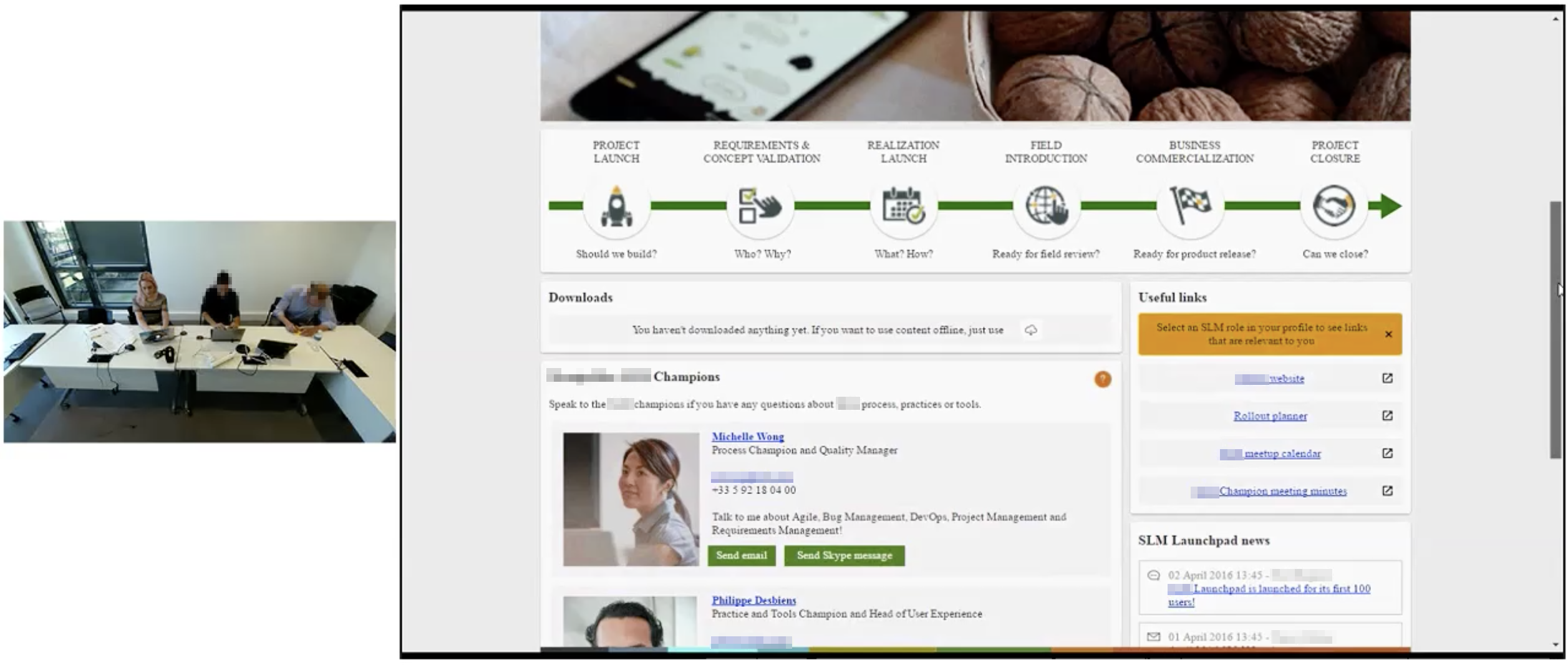
Here’s a quick snapshot of some usability testing I did for one client. You can see here that in the room we have me (UX expert!), the participant in the middle, and then a project team member who is helping to take quick notes to report back to the team. I wouldn’t recommend having more than two non-interviewees in the room, as otherwise the participant can feel a little ganged up on! If you have the ability to transmit the session to another observation room (like I did with GDS), even better. In this example, the participant is using the prototype on their laptop while they complete task-based, “think out loud” exercises.
Research report
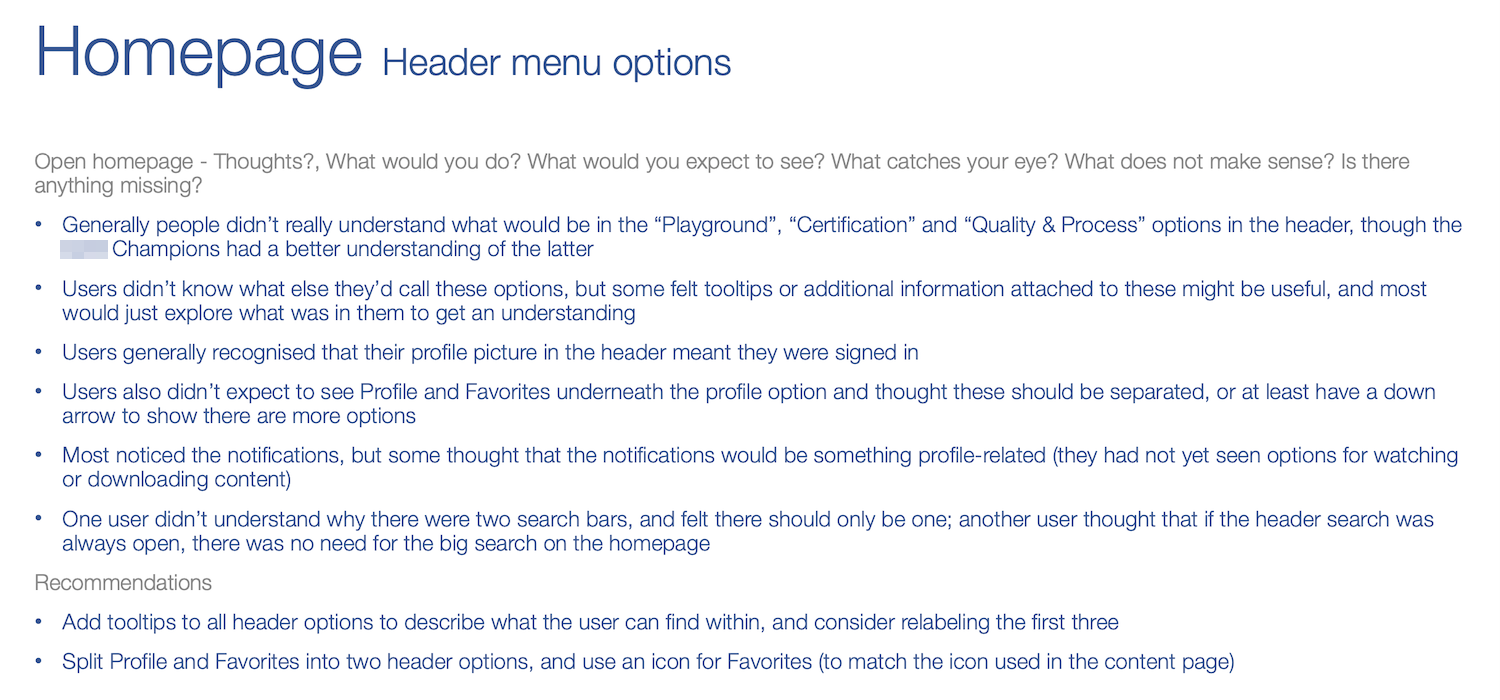
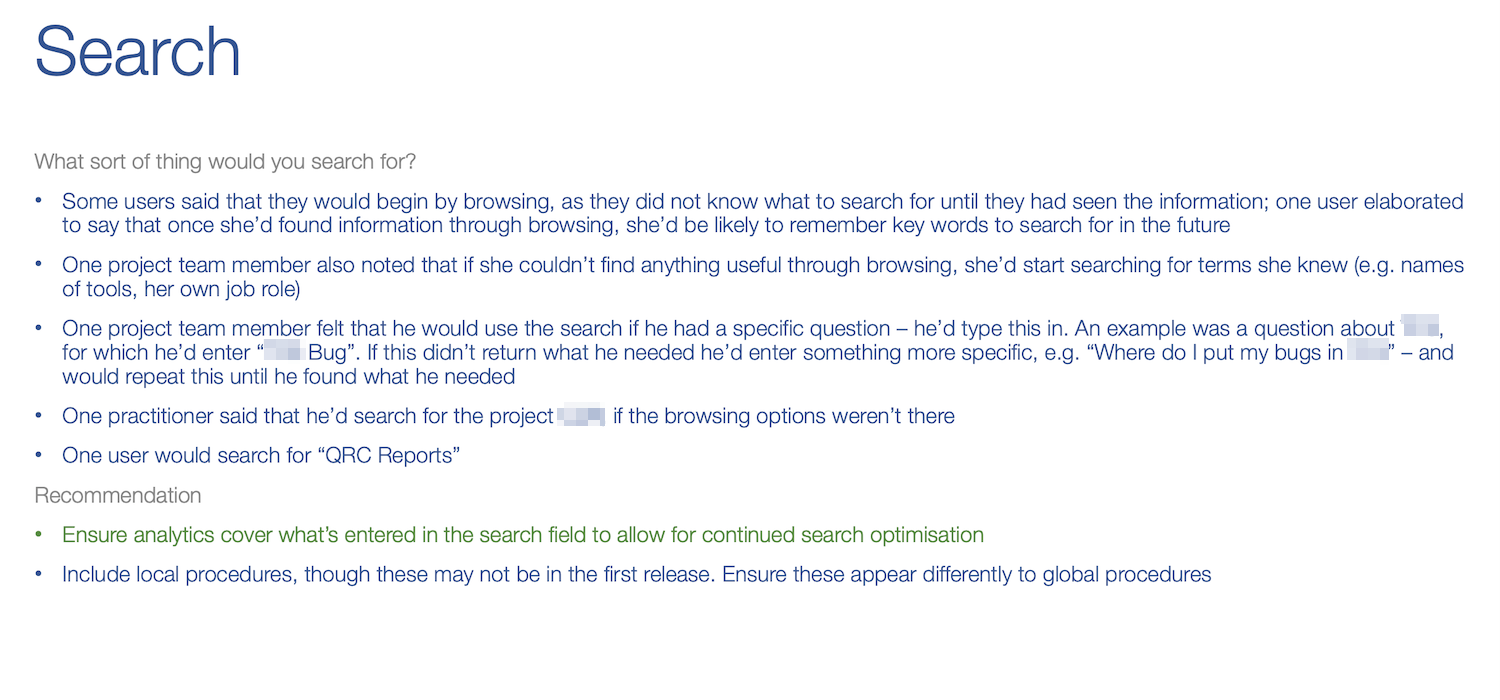
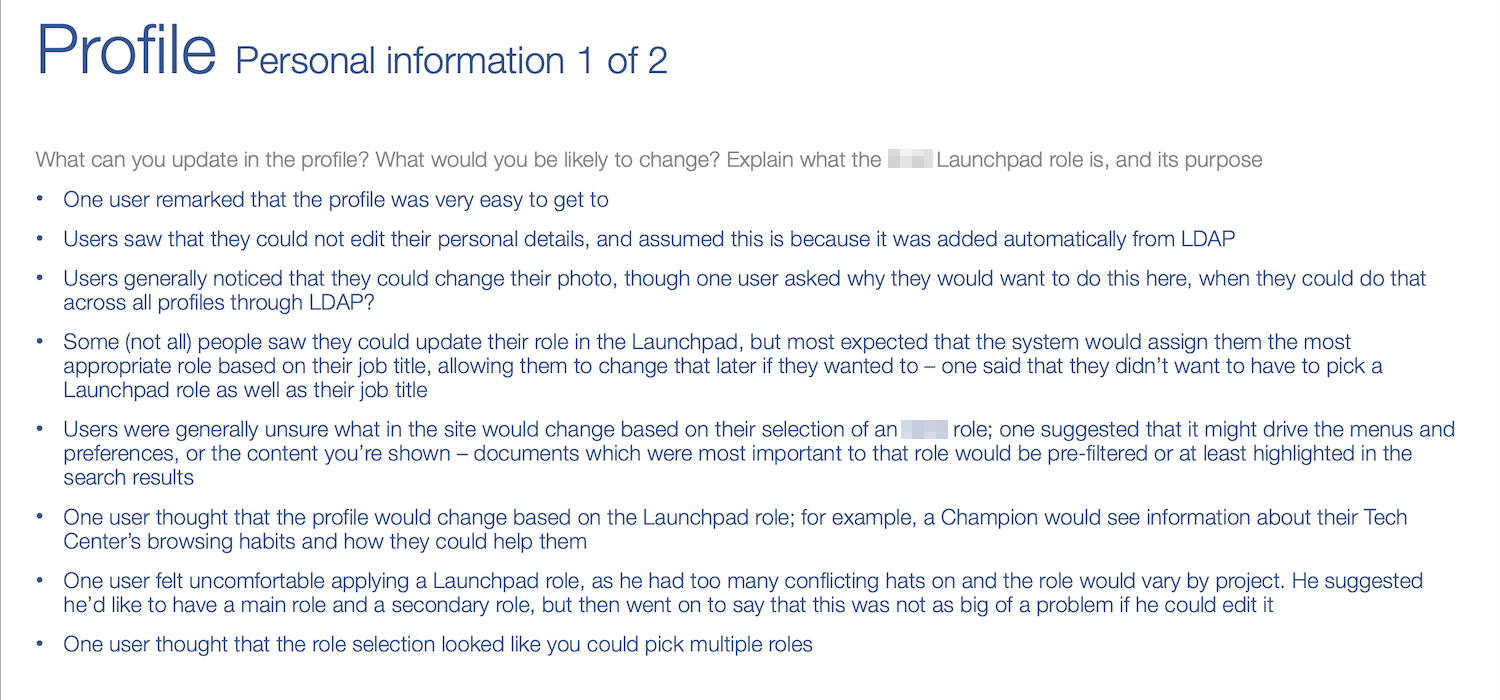
Reports can take many forms, depending on the audience. What’s important is that they’re as useful as possible; while a video presentation with clips from testing might be the most engaging, consider if this is worth the time needed to put it together (if stakeholders really need convincing, then yes — but often a bullet point presentation is most effective). Here’s a few pages from one research report I delivered.

A classic user test: how high can a user hold up their phone while standing in the middle of a road? We’re still waiting for the definitive study.
Start building
Manage expectations
- Agile works beautifully for development, but it’s not as perfect when you throw UX into the mix. This is because UX scope isn’t completely defined, and even if you test something three times with success, changing another part of the design could mean that the fourth time, it fails. It’s important for everyone in the team to know designs can change, and agree how to manage that.
Work with developers
- After all, we’re trying to achieve the same thing! It’s not always possible to build exactly to the designs, or perhaps full functionality comes later – so the team must work together, with the user and constraints in mind, to find the best solution.
MVP vs. Vision
- Speaking of compromise, often the first release is a minimum viable product. It’s important to work closely with product and developers to understand what can be delivered in the first instance, that’s still beneficial to users.
Analytics and future testing
- Keep using the measures from project kick off to create analytics and measures for ongoing improvement. Keep testing against these!
UX QA
- Designs can get lost in translation, and it’s no one’s fault. Keeping involved with the development means errors can be caught and fixed early. Sometimes a misinterpretation can lead to something even nicer!
Fill in the details
- It’s not the most glamorous bit, but it’s still important to make sure success and error messages, 404 pages and other ‘bits and bobs’ aren’t forgotten; though these can wait until you’ve got the bulk of the designs.
- Developers
- Project manager
- Product owner
- UI designers
- UX designers
- User researchers
- Stakeholders
For all stages, it is desired that as much of the project team is involved as possible
- A product or service!
- A team that knows what they’re working on, and why
- Detailed MVP wireframes
- Detailed “vision” wireframes
- A rough idea of how to get from one to the other
- Analytics
- A plan for ongoing user testing and improvement
Examples have been purposely reduced in quality and censored in places, because they come from real projects.
Requirements document
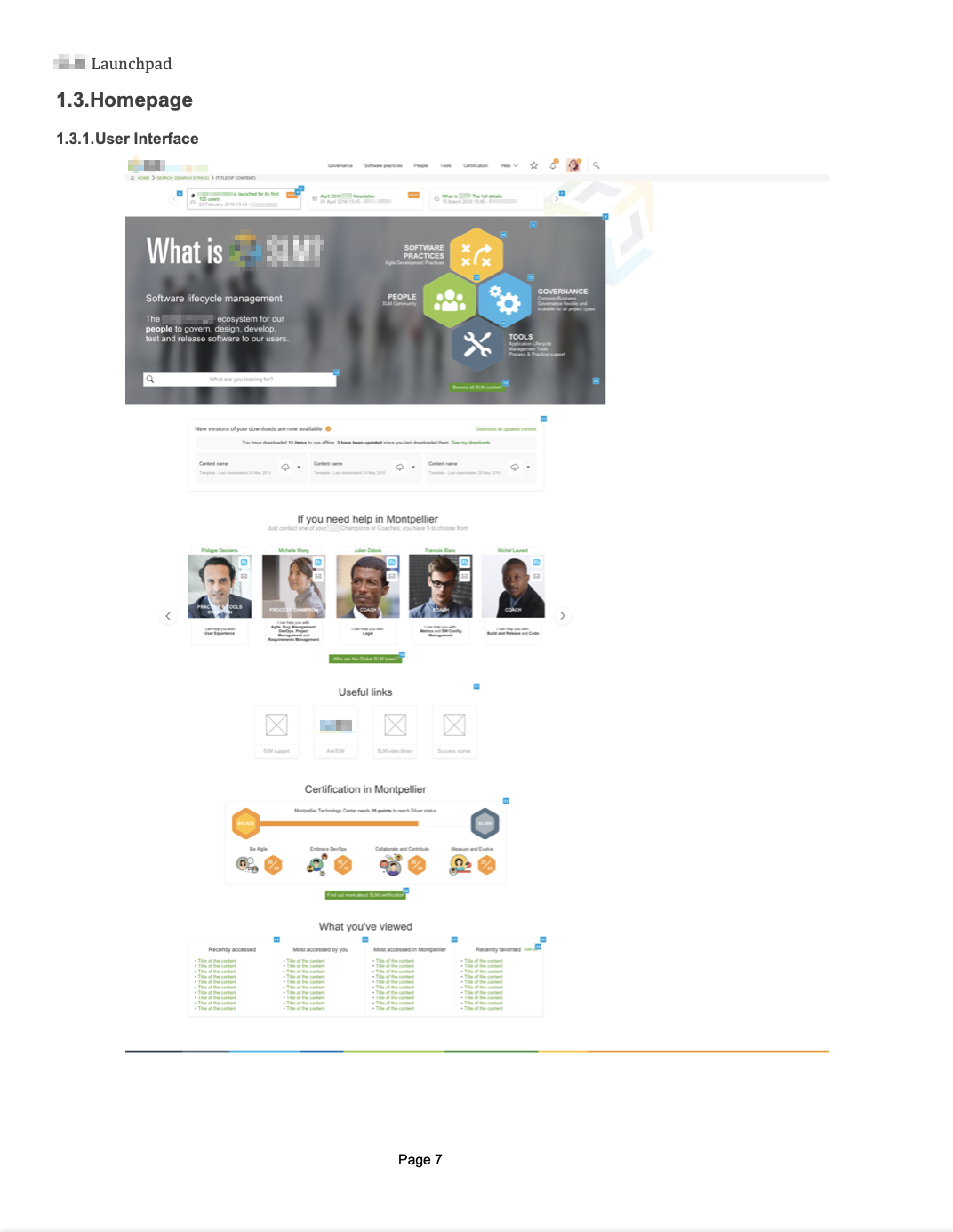
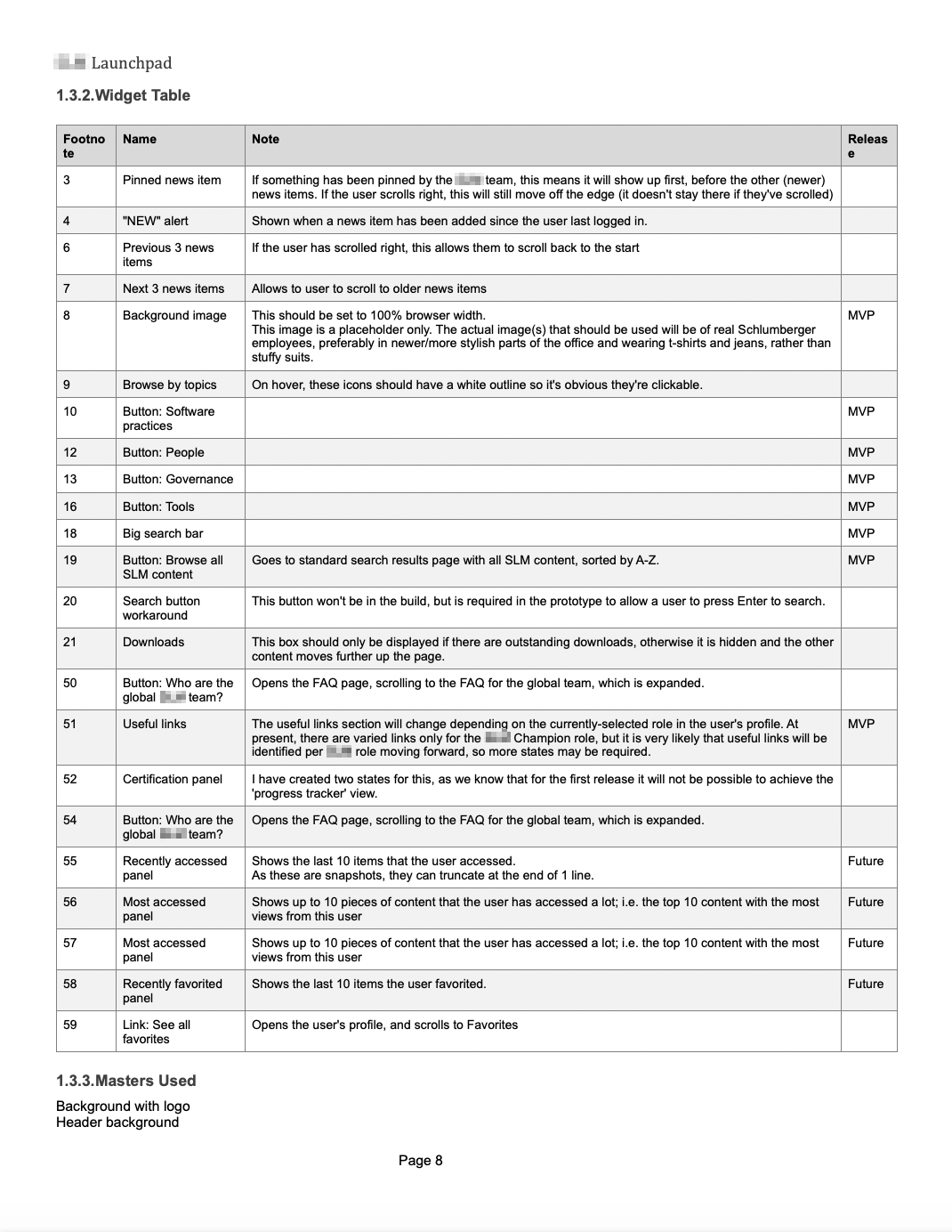
With the best will in the world, not everything can live in the world of Agile. For that reason, sometimes handover / spec / requirement documents are a necessity. Even within Agile working, it’s unreasonable to expect developers to remember all of your intentions when it comes to the UX and interaction design for a product or service! Handover notes can be provided in myriad ways: I’ve added notes using InVision or Zeplin’s functionality, added note panels next to designs in Omnigraffle and Sketch, made the most of the Axure RP notes and specification document functionality — and even recorded handover videos of me using a clickable prototype and talking through the functionality (where the development team was based in a different country).
Here’s an example of the annotations exported from one interactive wireframed prototype using Axure RP.

Some developers say they use programming languages like ‘Python’, or ‘Ruby’. However, as we all know, what they do is basically magic.